The System Still Works. That Is the Problem.
Access databases, a VB or FoxPro tool the original author left behind, an Excel workbook with thirty years of business logic in it. It still runs the company, and every year it is harder to change, harder to staff and closer to the day it stops. We replace it in phases, carry the data and the rules across, and keep the operation running the whole way.
What Is Legacy System Modernization?
Legacy system modernization replaces aging business software, such as an Access database, an unsupported VB or FoxPro tool or a spreadsheet stack, with a maintainable system, while the business keeps running. AltaMatic reads what the old system actually does, migrates the data with a reconciliation, and cuts over in phases rather than over one weekend, so the rules and history come across intact.
- Audit of the existing system
- Data migration with reconciliation
- Phased cutover
- Rebuild on a maintainable platform
- Documented business rules
- Integration with the rest of the stack
The Symptoms, Before the Diagnosis.
One person can change it
The macro, the query or the module is understood by exactly one person, and often that person has already left. Every change request becomes a negotiation with the past, and the answer is increasingly no.
It will not connect to anything
The system holds the data the rest of the business needs, but it has no API, no export worth the name and no way to reach the accounting package or the field app. So people retype, and the copies drift.
The platform under it is ending
An unsupported runtime, a database version past end-of-life, a desktop app that only runs on one aging machine in the corner. The risk is not that it breaks today; it is that it breaks on the day nobody can fix it.
Nobody will touch the rules
Decades of pricing logic, exceptions and business rules are buried in the thing, undocumented. The fear of losing them is the single biggest reason a replacement gets postponed another year.
Legacy System Modernization, in Scope.
Scope is set against your operation, not against this list — but this is the shape of a build in this line.
Read what is actually there
Before anything is rebuilt, we work out what the old system really does — the schema, the rules in the macros, the exceptions people have been quietly working around — and write it down. Most of the risk in a modernization is the logic nobody documented.
Data migration with a reconciliation
History comes across, not just the current records, and it is reconciled against the old system rather than assumed correct. You should be able to open a five-year-old job in the new system and see what the old one saw.
Phased cutover, not a weekend
The replacement goes live a workflow at a time, with the old system still available behind it, so a problem is a rollback rather than a crisis. Big-bang cutovers are where modernization projects go to die.
Rebuild on something maintainable
The new system runs on a current, boring, widely-known stack, with the business rules explicit in code rather than hidden in a spreadsheet cell. Any competent developer should be able to pick it up — including one who is not us.
Connect it to the rest of the stack
The reason modernization pays for itself is usually integration: the data that was locked in the old tool can finally reach accounting, the field, and management reporting without anyone retyping it.
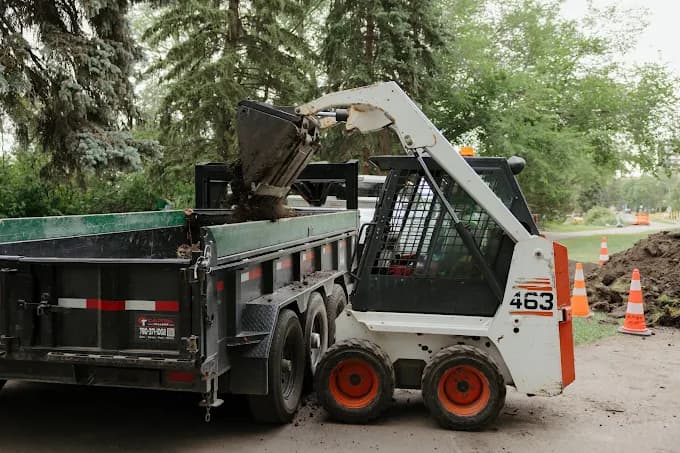
The first question is not what to build, it is what the existing system is really responsible for. We spend the early part of the engagement reading the thing and interviewing the people who work around it, because the undocumented exceptions are the part that bites — and they are always in the workarounds, not the specification.
From there the sequence matters more than the architecture. We pick the workflow whose replacement relieves the most pressure, ship that, and let people use it against the real business while the old system is still there. Trust in the new system gets built one working piece at a time, which is also how the migration risk gets retired.
What It Looks Like When It Works.
The business stops depending on a system one person understands and a platform nobody supports. The rules that mattered are explicit and documented, the history came across intact, and the data is finally reachable by everything else the company runs on.
Five systems → one
General contractor · live in production
A general contractor working across Edmonton and Calgary ran on spreadsheets, texts and memory — an accumulated stack rather than a chosen one. We replaced it with one custom operations platform built around how they actually run projects. The figure is client-reported, not independently audited.
Legacy System Modernization, Answered.
How Long Does a Legacy Replacement Take?
It depends almost entirely on how much undocumented logic is inside the old system, which is why discovery comes first and the timeline comes second. What we can commit to is the shape: you are using working software against real work early, one workflow at a time, rather than waiting for a single launch date months out.
What Happens to Our Historical Data?
It comes across and it is reconciled. Migrating only current records is the common shortcut and it is the one that costs you later, when a dispute, a warranty claim or an audit needs the trail. We migrate history, then check the new system's answers against the old system's answers before anyone relies on it.
Can You Work With an Access Database or an Old Desktop Tool?
Yes — those, spreadsheet stacks, and in-house tools written in whatever was current when they were written. The technology matters less than whether the rules inside it can be recovered, and recovering them is the part of the job we plan for explicitly.
Do We Have to Replace Everything at Once?
No, and you should not. The phased approach exists precisely so the old system stays available while each replaced workflow proves itself. Some businesses end up keeping part of the old tool indefinitely because it genuinely still fits, and that is a legitimate outcome.
Start with the operation, not the software
Book a 30-Minute Call.
30 minutes. We map how work moves through your business today, show you where it leaks, and give you a rough cost range — whether you build it with us or not.
Edmonton, Alberta · No commitment · 587-937-6948
Where To Go Next.
Up a level
Operational Software
Jobs, customers, approvals and documents in one system you can own.
More In This Series
Internal Tools & Admin Portals
The one internal screen that replaces a spreadsheet and three logins.
Custom Web Applications
Multi-user operational web apps on a current stack, integrated, and you can own them outright.
Mobile Apps for Field Crews
Capture on site, work without signal, sync when it comes back.
Job Costing & Margin Tracking
Know which jobs make money while they are still running.
Scheduling & Dispatch Systems
One board the office and the field read the same way.
Also Worth A Look